Introduction
Installation
Pre-Rigged Models
Rigging
Contact
Animation
IK Ranges
Aligning Chains
Chain Visibility
Pivoting
Motion Paths
Automatic Features
Follow Rotation
System
Installing the Kinematic Tool is simple and easy. You don't even need to unzip the "kinematic_tool.zip" file to install it directly in Blender. (Just know that the manual and the pre-rigged models do exist within the .zip and you'll need to to unzip the file to access those).
If you're in Blender 4.2+, you can simply drag the .zip file directly into Blender and accept. If you're in Blender 4.0 or 4.1:
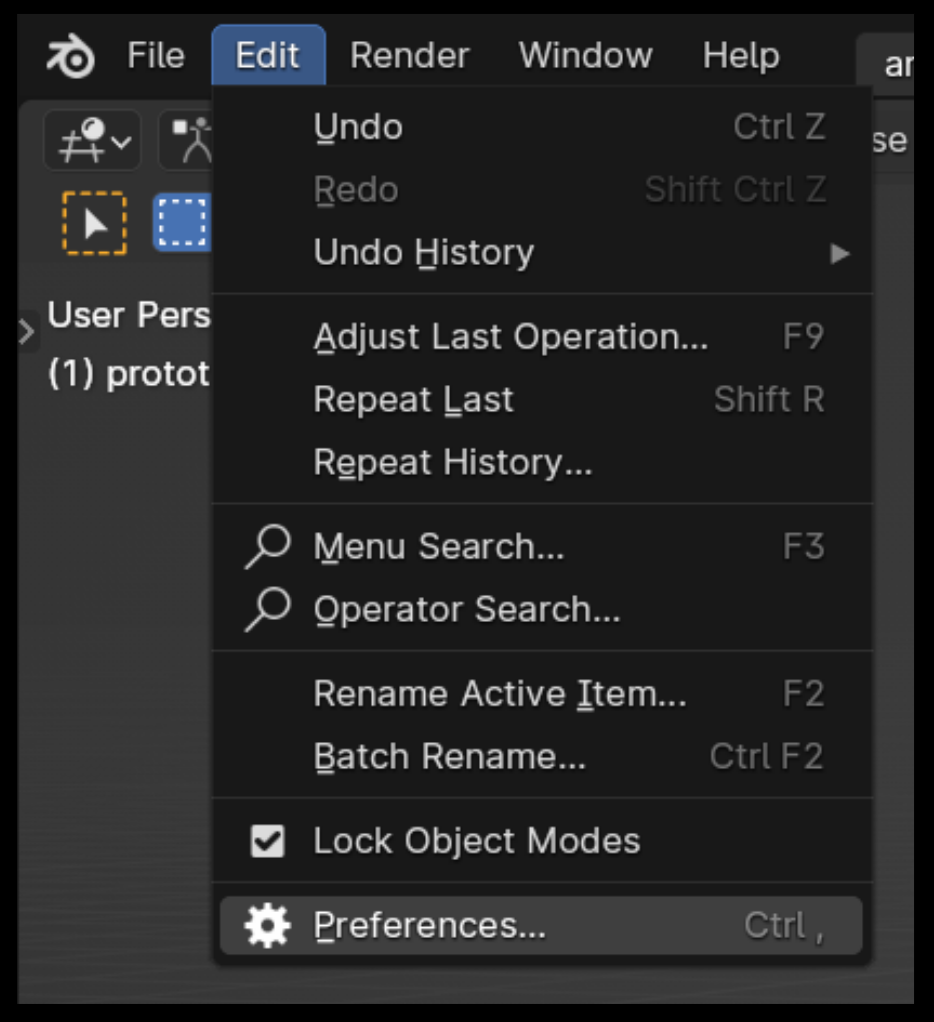
Go to Edit > Preferences.
Inside the Blender Preferences window, go to the "Add-ons" section (left side).
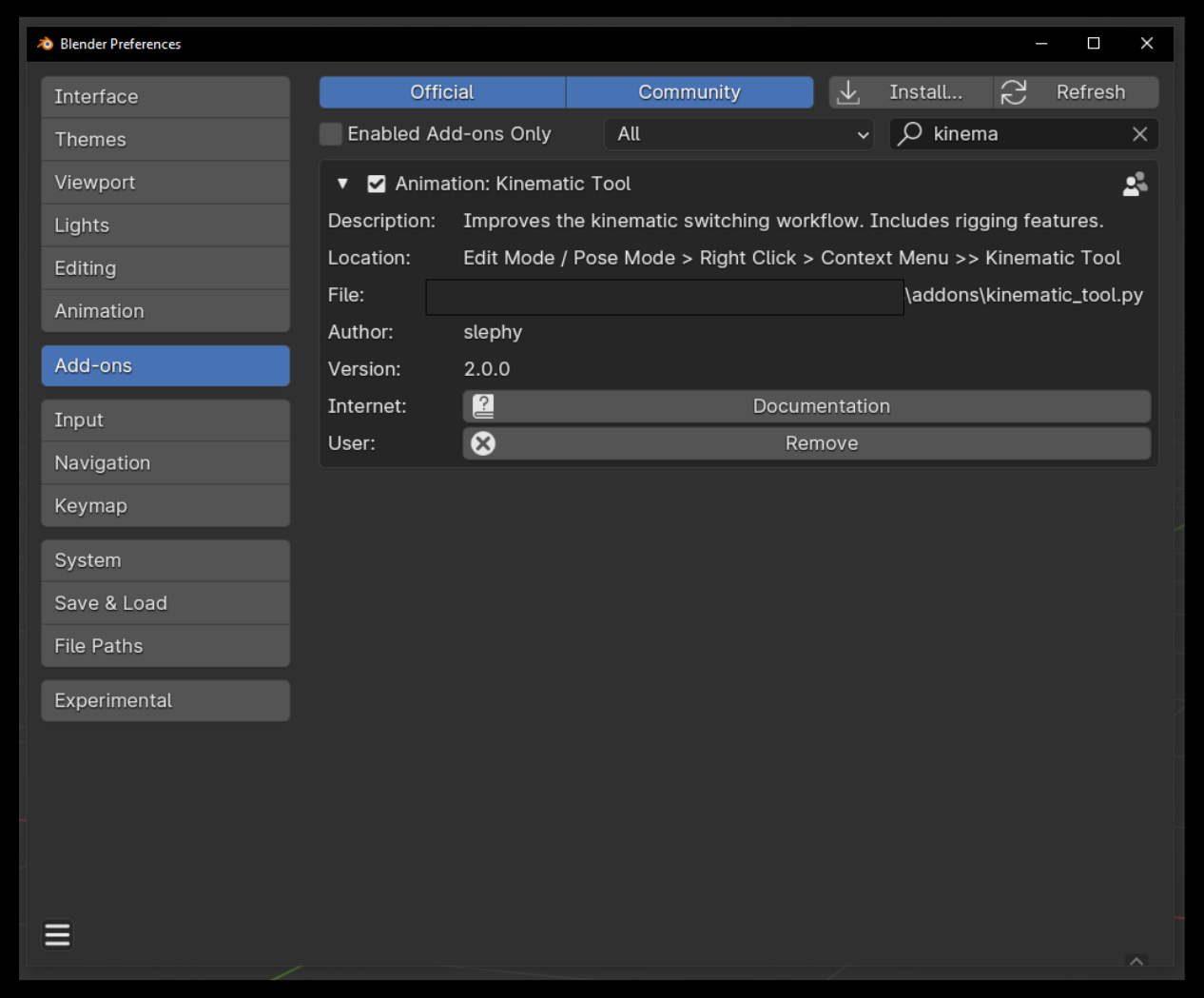

At the top right, click the tiny little drop down menu, then click "Install from Disk...". Search for and choose the "kinematic_tool.zip" file. (If you unzipped the file, you can select the "kinematic_tool.py" file, which is in the main directory). Blender will figure out to install the "kinematic_tool.py" file even through the .zip file. Easy!
In the search bar, search for "Kinematic Tool" and make sure the addon is checked on and installed.

Now that the tool is installed, you can get started animating either by getting a sense for the Pre-Rigged Models or by wielding the IK Ranges. If you want to rig from scratch, check out the Rigging section.